
HSS Connection Design Software Capabilities in 2025
By: Mike Manor, PE, MLSE
Technical Consultant, Steel Tube Institute
October 2025

Designing connections with Hollow Structural Section (HSS) members involves navigating numerous limit states, making software tools invaluable for HSS connection designers. This article provides an updated review of HSS connection design software available in 2025, building upon a previous review published in 2021 (link). This article explores available software design methods and compares current software capabilities and features across HSS connection categories.
Helpful Reminders
Before diving into software capabilities for HSS connection design, it is important to remember that software only serves as a design tool. Careful attention to inputs and post-analysis verification are key steps to designing HSS connections in compliance with code requirements.
To aid in this task, the STI Limit State Tables provide a list of all limit states required for each connection type. This resource is a valuable reference for engineers to verify the accuracy of and have confidence in the HSS connection design calculation output from their chosen software package.
One key constraint is that HSS connection equations per AISC 360-22 Chapter K are only valid within certain geometric ranges called the limits of applicability (LOA). For connection geometries that fall outside of the LOA, the specification does not prohibit these connections, but it does require “design by rational analysis.” This is where finite element analysis (FEA) software programs, such as IDEA StatiCa and RFEM 6, can help extend the possibilities of HSS connections beyond the limits of the code for unique HSS design scenarios. For more information, see the STI article “Beyond the HSS Limits of Applicability – Efficient Solutions for Rational Analysis” at this link.
Software Modeling Methods
HSS connection design software can be categorized into two fundamental approaches based on project requirements or workflow depending on the parties involved in the connection design. The first approach is integrating the connection design into the detailing software model for repetitive connections while the second approach is to design each connection individually in standalone software.
Comprehensive BIM-integrated platforms like Qnect and SDS2, as shown in Table 1, are designed for projects with delegated design where the fabricator or detailer is involved with the connection design. These tools excel when dealing with repetitive connection types and standardized details throughout the project. Through inputs of connection preferences in the detailing 3D model, the software processes and optimizes connections throughout the entire structure simultaneously.
The efficiency of BIM modeling becomes particularly evident in large-scale projects where hundreds of similar connections must be designed and detailed. Beyond the design calculations, these systems automatically generate the geometric modifications required for fabrication, such as copes, cuts, and access holes, which are then incorporated directly into the model and shop drawings. This integration between design and detailing significantly reduces the potential for coordination errors between disciplines.
In contrast, standalone connection design tools are better suited for individual connections or situations where connection types are not covered by the BIM detailing software. The single-connection approach allows engineers to adjust design parameters and immediately see the effect on connection strength without needing to consider the entire model. This is useful for connections in a small number of locations or for preliminary calculations. Many of these programs can import loads directly from 3D structural analysis software allowing connection design updates when modeling changes are made.
Table 1 shows the modeling method for each for HSS connection design software option. Additionally, the table lists how each software is accessed and whether it integrates with other software.
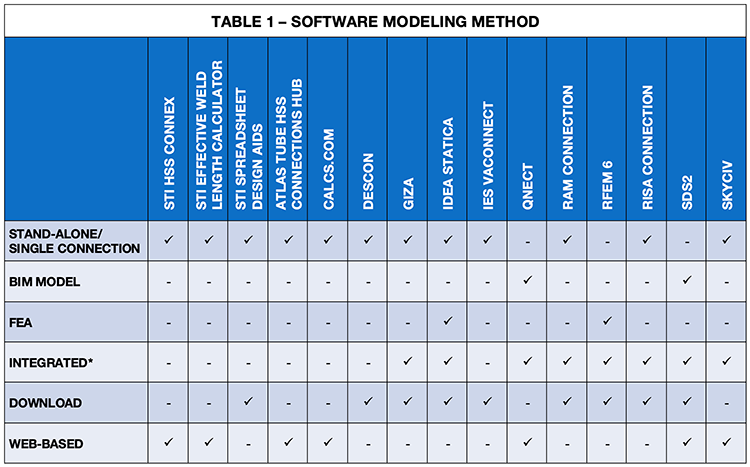
*See section on individual software packages for more information
Review Items/Criteria

Understanding which software can properly design HSS connections is essential to efficient engineering design. While most connection software packages handle typical wide flange (WF) connection cases effectively, their HSS connection capabilities may be more limited. The key difference between HSS and WF connections stems from the closed nature of HSS sections. While WF connections direct the load toward the centroid of the sections from the web attachment at the center of the flanges, round and rectangular shapes of HSS members transfer the connection stresses around the perimeter of the section with rectangular HSS concentrating stiffness at the corners. Since connections typically occur at the face of HSS members, engineers must consider several limit states unique to HSS design.
HSS connection types can be split into several categories as presented in Table 2 which summarizes the design capabilities of each software option. Following is a brief overview discussion of each connection category. To start, the connection design approach varies significantly between round and rectangular HSS members, as the connection mechanics of each shape require different code design equations for capacity determination.
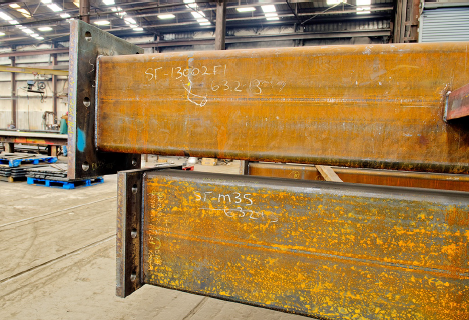
The first category is for HSS columns supporting wide flange beam shear connections. These connections share similarities with typical wide flange connections, including longitudinal shear tabs, single angles, and double angles. WT shapes also provide a good option for shear connections to HSS since they can transfer loads closer to the HSS sidewalls. When moment is present, connection options include direct flange welding, flange plates, diaphragm plates, and other connection methods (Ericksen 2014). See Figure 3.
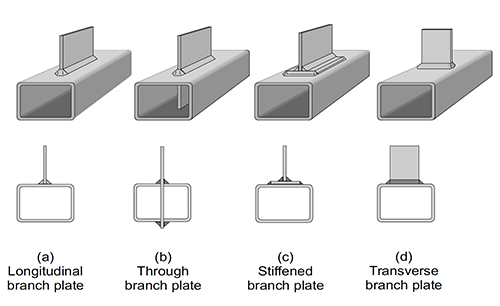
The next broad category of HSS connections are longitudinal and transverse plates. See Figure 4. These connections can transfer shear, axial, and/or moment loads. Some of the limit states required are punching shear, wall plastification, sidewall local yielding, among others (Packer 2015).
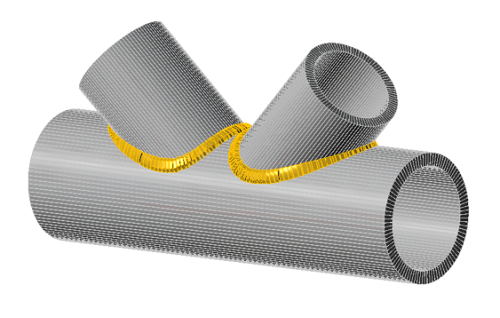
Another category is HSS-to-HSS truss connections that primarily transfer axial loads but can also transfer moment in some cases. See Figure 2. A few examples of the pertinent limit states are plastification, punching, and local yielding due to uneven load distribution (Olson 2014).
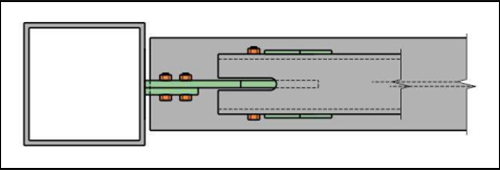
The HSS brace connection category pertains to axial loading of HSS members. Connection types included in this category are cap plates, base plates, compression/tension splices, and HSS brace connections. Sometimes, the cap plate, base plate, and splice connections include moment loading (Jacinto 2019, Olson 2017). See Figure 5.
The last category consists of HSS beam to HSS column connections. Loading can be shear, axial, and/or moment. These connections require attention to detail since there are two webs in the beam. If through-bolts are used, bolt pretensioning must be considered as well as specific limit states including distortion and punching of the bolt head.
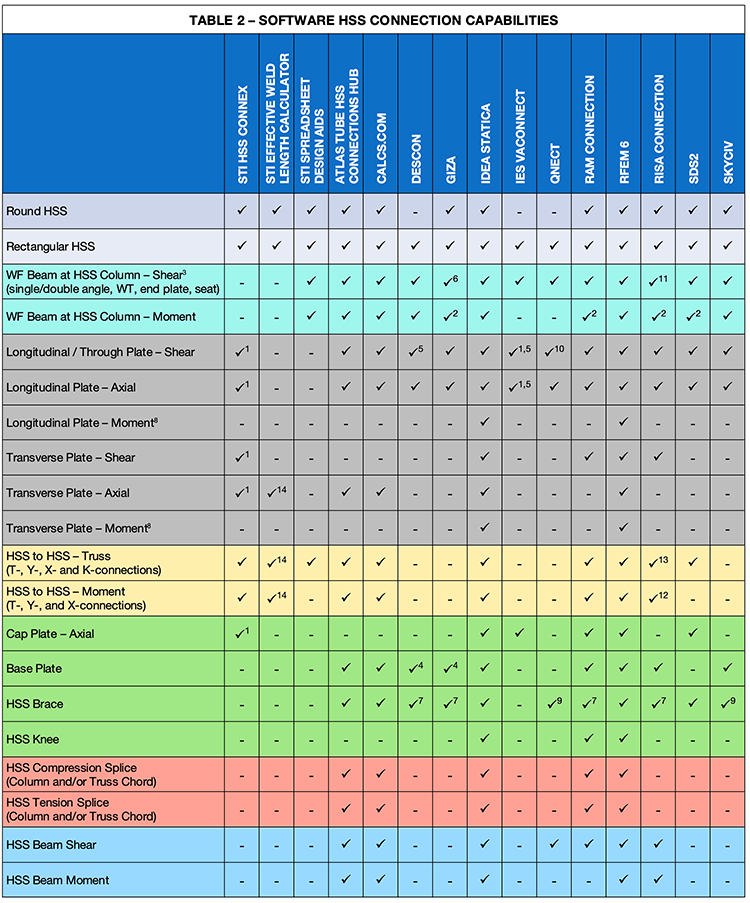
| 1. Partial check of HSS wall only 2. Direct weld or flange plate only 3. Programs may not include all shear connection types listed 4. Only with brace connections 5. Through plate not included 6. Angles only 7. HSS brace and/or column; HSS is not an option for the beam | 8. AISC includes design option for round HSS only 9. HSS for brace only 10. Through plate is not an option 11. Single angle and end plate only 12. In-plane moment only 13. T-connection only for rectangular HSS 14. Effective weld length calculation only |
Software Packages Reviewed
Following is a brief overview of each software package covered in this review. The list includes many of the HSS software packages available at the time of writing, though it may not be all-inclusive. For each software program, this review examines accessibility options, integration capabilities with other design tools, and highlights the program’s unique strengths and distinguishing features. For additional information, we recommend viewing the upcoming STI Webinar titled “Mastering HSS Connections: Connection Design Software for HSS.”
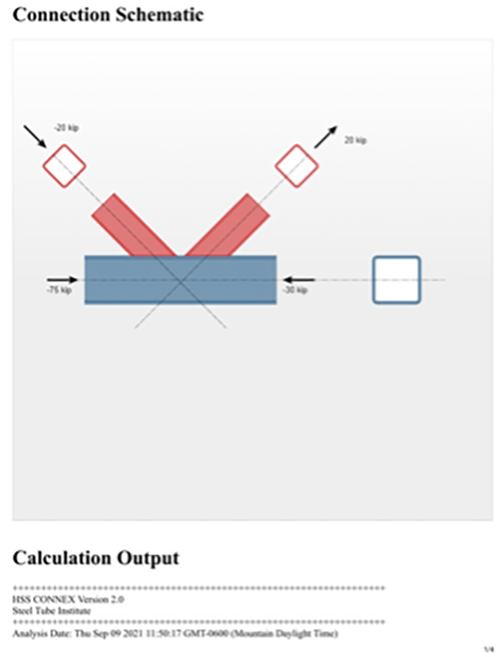
STI HSS Connex
Access: Online web browser, Complimentary
Product Website: https://steeltubeinstitute.org/hollow-structural-sections/hss-connex-tool/
Software Integration: Stand-alone
Software Notes: This software performs limit state checks on the HSS member to ensure adequate HSS section capacity at the connection. This assists with member design to help avoid costly reinforcement or upsizing when connections are designed later. User notes are available describing the effects of various inputs required to ensure the connection matches the intended design in conjunction with the 360-22 code.
STI HSS Effective Weld Length Calculator
Access: Online web browser/Excel file download
Product Website: https://steeltubeinstitute.org/resources/hss-effective-weld-length-calculator/
Software Integration: Stand-alone
Software Notes: Browser-based tool that determines the effective weld length for HSS connections, covering all cases in AISC 360-22 Tables K5.1 & K5.2 for rectangular and round HSS.

STI HSS Spreadsheet Design Aids
Access: Online web browser/Excel file download
Product Website: https://steeltubeinstitute.org/resources/hss-design-aids/
Software Integration: Stand-alone
Software Notes: Downloadable spreadsheet design aids for full design of HSS-to-HSS truss connections, wide flange beam-to-HSS column shear connections, and wide flange beam-to-HSS column moment connections.

Atlas Tube HSS Connections Hub
Access: Online web browser, Complimentary
Product Website: https://www.atlastube.com/hss-connections-hub/
Software Integration: Stand-alone
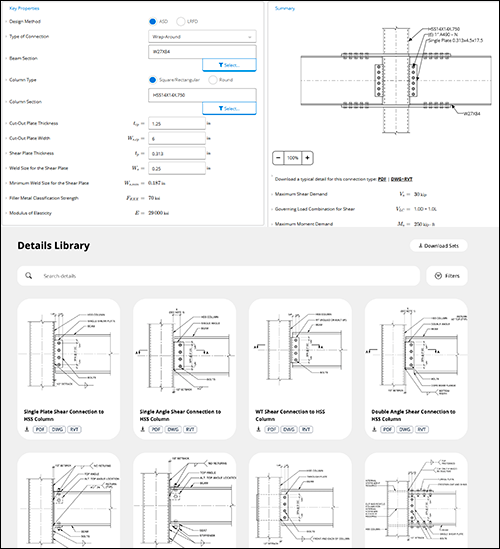
Software Notes: Includes an expansive and growing library (70+) of downloadable HSS typical details and HSS connection calculators.
Calcs.com
Access: Online web browser
Product Website: https://calcs.com/
Software Integration: Stand-alone
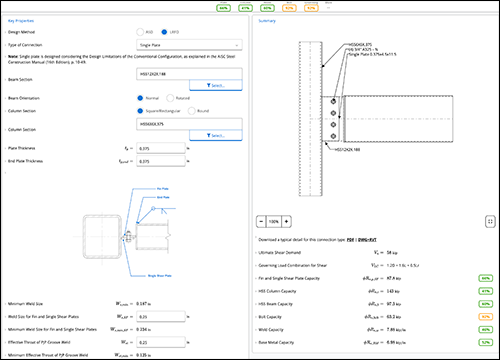
Software Notes: Includes a wealth of HSS connection calculators, along with their associated connection details.
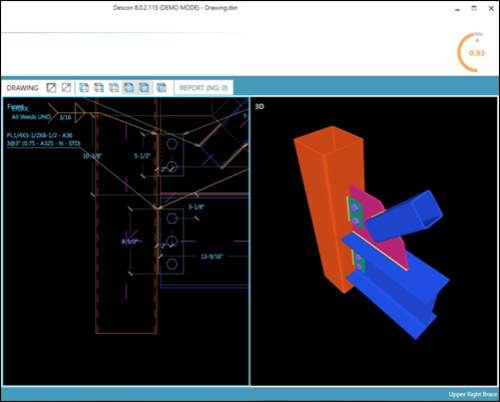
Descon
Access: Software download
Product Website: https://www.desconplus.com/
Software Integration: Stand-alone
Software Notes: Includes beam to square/rectangular HSS column connections as well as bracing connections to square/rectangular HSS columns.
Giza
Access: Software download
Product Website: https://www.gizasteel.com/
Software Integration: Stand-alone lite version or integration with Tekla Structures or Tekla Structural Designer
Software Notes: Import geometry and/or loads from Tekla Structures or Tekla Structural Designer. Adjust the connection then export changes back to Tekla to update the model.
Idea StatiCa
Access: Software download
Product Website: https://www.ideastatica.com/connection-design
Software Integration: Stand-alone or integration with Tekla Structures, Autodesk Advance Steel, and Revit as well as 25 different BIM or analysis software packages (BIM links: https://www.ideastatica.com/bim)
Software Notes: This program performs a finite element analysis on connections and can analyze/design any connection geometry. The software can be used as a standalone program for the design of individual connections. When integrated with BIM or analysis models, connections can be grouped for batch design.

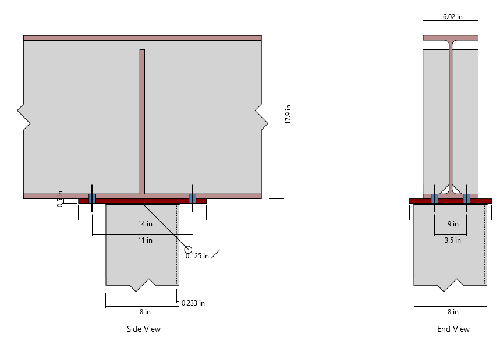
IES VAConnect
Access: Software download
Product Website: https://www.iesweb.com/vx
Software Integration: Stand-alone
Software Notes: Includes beam over HSS connection per AISC Design Guide 24 and AISC 360-22.
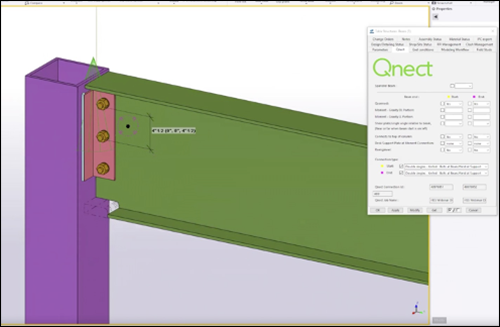
Qnect
Access: Web browser in combination with TEKLA Structures and Autodesk Revit
Product Website: https://www.qnect.com/
Software Integration: Integration with Tekla Structures and Autodesk Revit (Structures or Revit is required for Qnect to function)
Software Notes: Rapid design and optimization of HSS beam to wide flange columns and beams, wide flange beam to HSS columns and beams, and HSS vertical bracing throughout a full building model. Fabricator preferences are easily copied from one project to another, minimizing engineering time. Design forces used come from user-defined project tables, Tekla user-defined attributes, or Revit beam parameters (both physical and analytical elements).
RAM Connection
Access: Software download
Product Website: https://www.bentley.com/software/ram-connection/
Software Integration: Stand-alone or integrated with RAM Structural System, RAM Elements, STAAD.Pro, and iTwin Analytical Synchronizer, with tag-based mapping for connections in BIM software such as ProStructures and Revit.
Software Notes: Wide array of HSS connection types with HSS column option for most connections. HSS beam to HSS column includes mitred knee connection. HSS beam to girder connections. HSS braces option. Baseplates with gusset for HSS columns and braces. Axial Splice plates for HSS beams and columns. Truss connections (T-, Y-, X-, K-, and KT-connections).
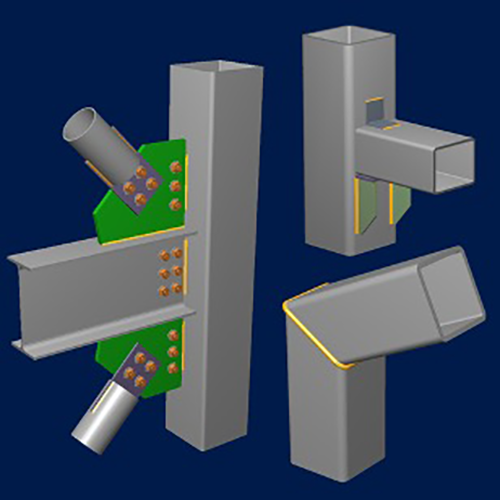
RFEM 6 | Steel Joints Add-On
Access: Software download
Product Website: https://www.dlubal.com/en/products/rfem-fea-software/add-ons-for-rfem-6/connections/steel-joints/steel-joints-input
Software Integration: Integration with Tekla Structures, AutoCAD, and Revit
Software Notes: Automates the design of simple to complex connections using component-based FEA submodels, customizable templates, and real-time updates with modified member end forces. FEA also covers casted HSS connections. Stiffnesses of all connections are integrated into the global structure for member design.
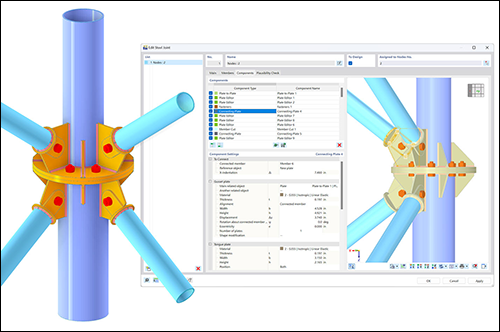
RISAConnection
Access: Software download
Product Website: https://risa.com/products/risaconnection
Software Integration: Stand-alone and integration with RISA-3D, RISAFloor, and TEKLA
Software Notes: Includes shear, axial, and moment connections for WF beam to HSS column connections, bracing connections to HSS columns, and HSS truss connections for single branch, T-connection, and 90-degree angles only.
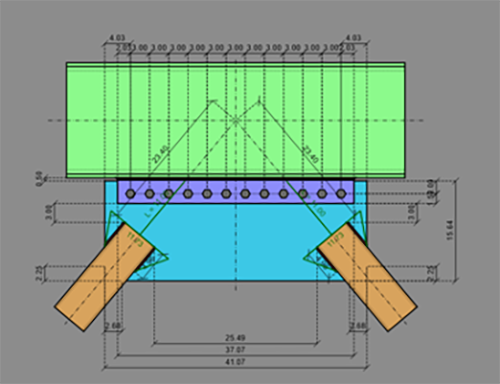
SDS2
Access: Software download
Product Website: https://sds2.com/structural-engineers/
Software Integration: Fully integrated in SDS2 detailing software
Software Notes: Detailing software automatically designs the connections based on design parameters as the framing members are input into the detailer’s model internally as part of the included software package.

SkyCiv
Access: Software download
Product Website: https://skyciv.com/structural-software/connection-design/
Software Integration: Stand-alone and integration with SkyCiv S3D Modeler
Software Notes: The software is fully available with an up-to-date version from any web browser. It offers many different HSS brace options as well as wide flange to HSS moment connection options including WT-connection, seat angle, flange through plate, flange collared plate, and welded tee flange.
Software Output
An important consideration is which steel design codes are offered by each software as well as the code reference information included in the output report. Table 3 below summarizes this information.
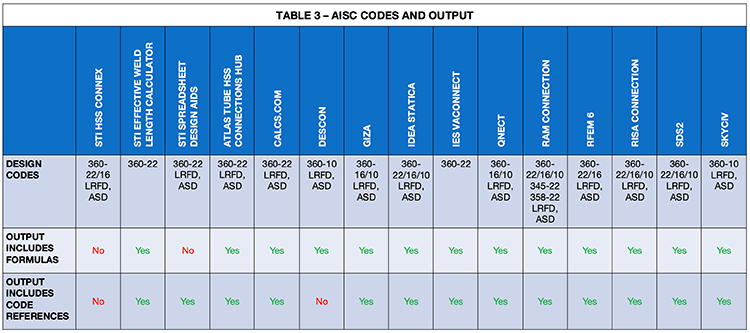
*Only code versions from 2010 and newer are included in this table. Older codes may be supported by some programs.
RISAConnection will be updated to 360-22 in Q4 2025.
Concluding Thoughts
This article provides a practical overview of HSS connection software packages available in 2025 to help engineers identify the solution that best meets their design requirements. The comparison tables outline the connection design capabilities of each software option with third-party integrations to assist with the selection process. However, hands-on experience remains the most effective way to determine which program suits the specific needs of each engineer. Fortunately, all the software options discussed offer either free trial periods or guided demonstrations. Each vendor also provides customer support to address any technical questions that may arise during evaluation. This article provides a starting point for assessing connection software for HSS projects. STI welcomes any questions you may have. Feel free to reach out to us via the STI Contact Us form.
References
Ericksen, J. (October, 2014). “Wide-Flange Beam to HSS Column Moment Connections,” Steel Tube Institute.
Jacinto, C. (February, 2019). “HSS Limit States in Cap Plate Connections,” Steel Tube Institute.
McCormick, J. (September, 2016). “Square and Rectangular HSS-to-HSS Moment Connections,” Steel Tube Institute.
Olson, K. (November, 2014). “HSS-to-HSS Connections,” Steel Tube Institute.
Olson, K. (November, 2017). “Axially Loaded HSS Column to Base Plate Connections,” Steel Tube Institute.
Packer, J. (January, 2015) “Transverse Plate-to-Square/Rectangular HSS Connections,” Steel Tube Institute.